Guides
US deliverability tools: Google Postmaster Tools and Microsoft SNDS
Email deliverability monitoring for US senders: use Google Postmaster Tools and Microsoft SNDS to track reputation, inbox placement and authentication.
What to take away
- Email deliverability monitoring in the US starts with two free dashboards: Google Postmaster Tools and Microsoft SNDS.
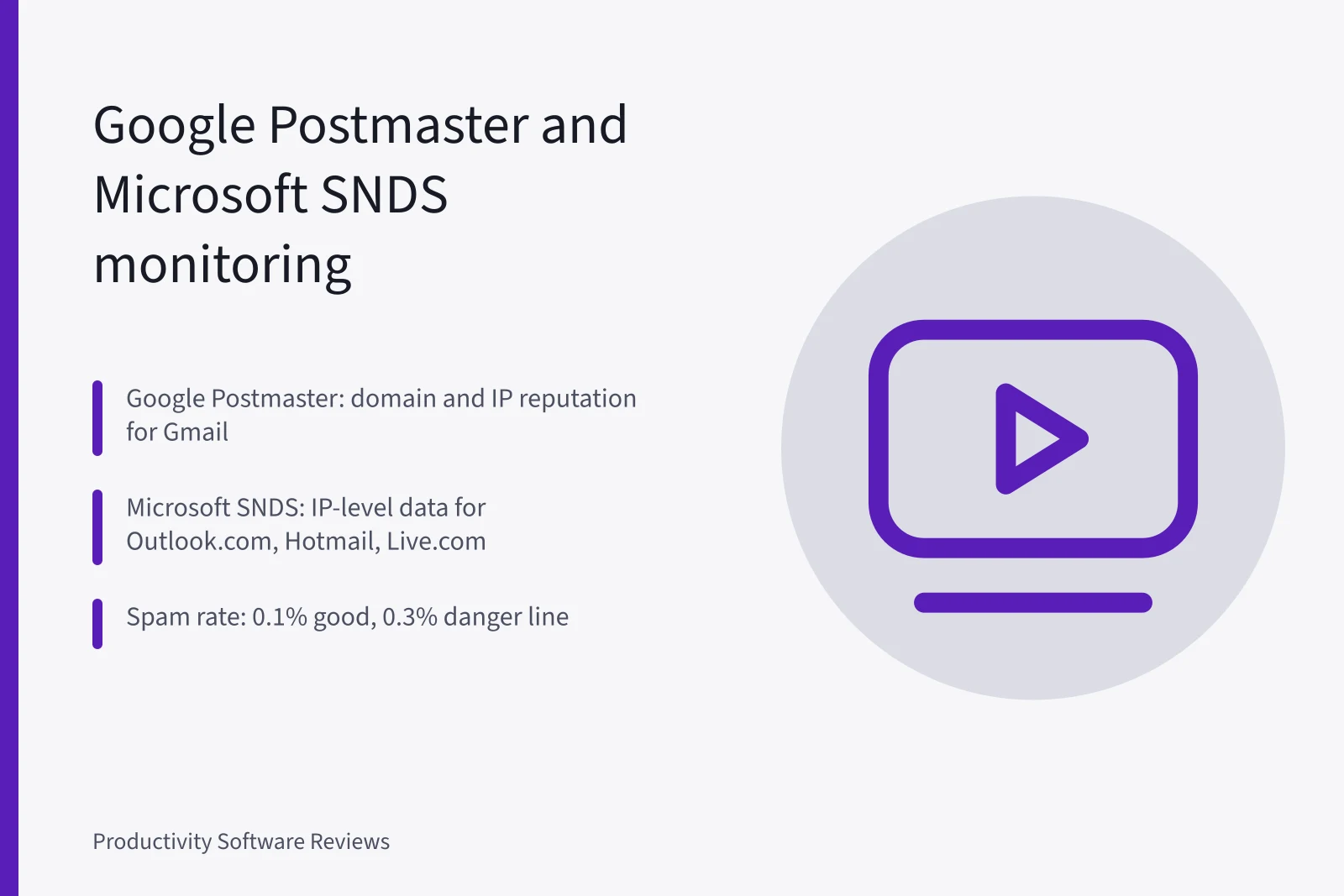
- Google Postmaster Tools reports domain and IP reputation, spam rates and authentication pass rates for Gmail recipients.
- Microsoft SNDS shows IP-level traffic and complaint data for Outlook.com, Hotmail and Live.com, but it is noisier and slower than Postmaster.
- Reputation signals only predict inbox placement when SPF, DKIM and DMARC are aligned; authentication is the floor, not the ceiling.
- A small team can run a weekly 30-minute routine across both tools and act only when a signal moves for two consecutive weeks.
- Data should change your send plan when spam rates rise, reputation drops, or authentication failures appear, not when one day looks bad.
What Google Postmaster Tools actually reports for US senders
Google Postmaster Tools is a free dashboard for domains and sending IPs that deliver to Gmail. It is not a full inbox placement tool, but for US senders it is the clearest window into how Google treats your mail.
You add your domain, verify ownership with a TXT record, and wait for data to populate. Google requires a minimum daily volume before it shows most panels, so small senders may see empty charts for weeks.
The dashboard reports domain reputation and IP reputation on a four-point scale from Bad to High. It also shows spam rate, the share of your mail that Gmail users mark as spam, and authentication pass rates for SPF, DKIM and DMARC.
Feedback loop data appears when users report messages. The official documentation covers setup and access, and it is the first place to check when Gmail placement drops.
For a US sender, domain reputation matters more than IP reputation if you use a shared IP pool. Google evaluates the domain, so a clean domain on a shared IP can still land in the inbox. If you send from your own IPs, both panels matter. Check domain reputation weekly and IP reputation only when you change infrastructure.
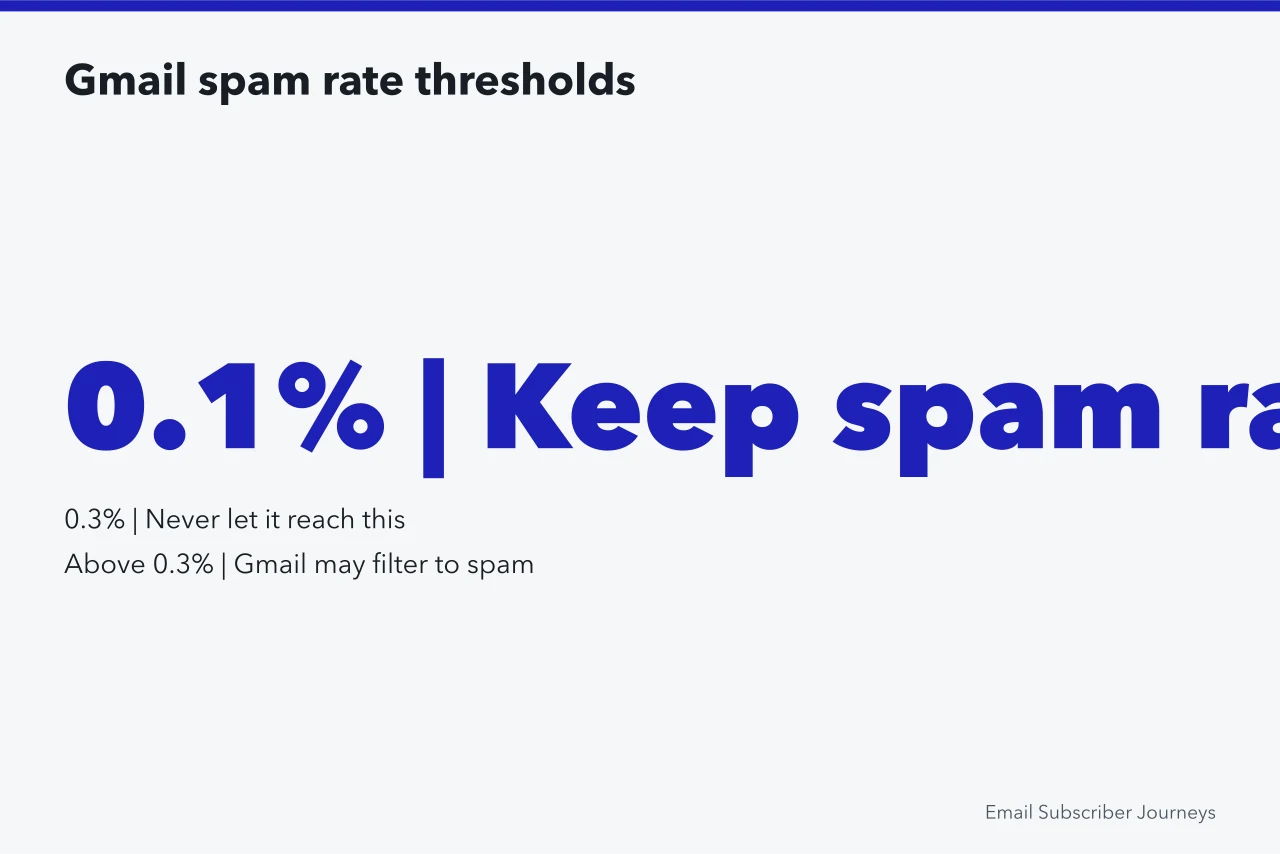
Spam rate is the most actionable number. Google publishes a threshold: keep it below 0.1 percent, and never let it reach 0.3 percent. Above 0.3 percent, Gmail may filter your mail to the spam folder. The rate is calculated from user complaints, not from content scanning, so it reflects real subscriber behavior.
A sudden rise usually means a list quality problem or a re-engagement campaign that annoyed people.
Authentication pass rates tell you whether your SPF, DKIM and DMARC records are working for Gmail. If DKIM passes at 99 percent but DMARC fails at 20 percent, your alignment is broken. That is a configuration issue, not a reputation issue, and it will affect inbox placement across providers. Fix it before you change anything about your content.
Postmaster Tools data lags by up to 48 hours. Do not react to a single bad day. Look at the weekly trend. If spam rate rises for two weeks in a row, act. If reputation drops from High to Medium and stays there, investigate.
One-day spikes are usually noise from a single large campaign or a temporary Gmail filter change.
For small US teams, Postmaster Tools is the highest-signal free tool available. It does not cover Yahoo, Outlook or Apple, but Gmail is still the largest US consumer mailbox provider. Treat it as your primary reputation monitor and pair it with the other tools in this guide.
If you want a broader view of what to track, see our honest guide to email deliverability.
Reading Microsoft SNDS data without overreacting
Microsoft Smart Network Data Services, usually called Microsoft SNDS, is a free service that shows how Microsoft sees your sending IPs. It covers Outlook.com, Hotmail, Live.com and other Microsoft consumer domains. You register each IP or CIDR block, prove control, and then receive daily data.
Unlike Postmaster Tools, SNDS is IP-based, not domain-based, so shared IP pools show aggregate behavior.
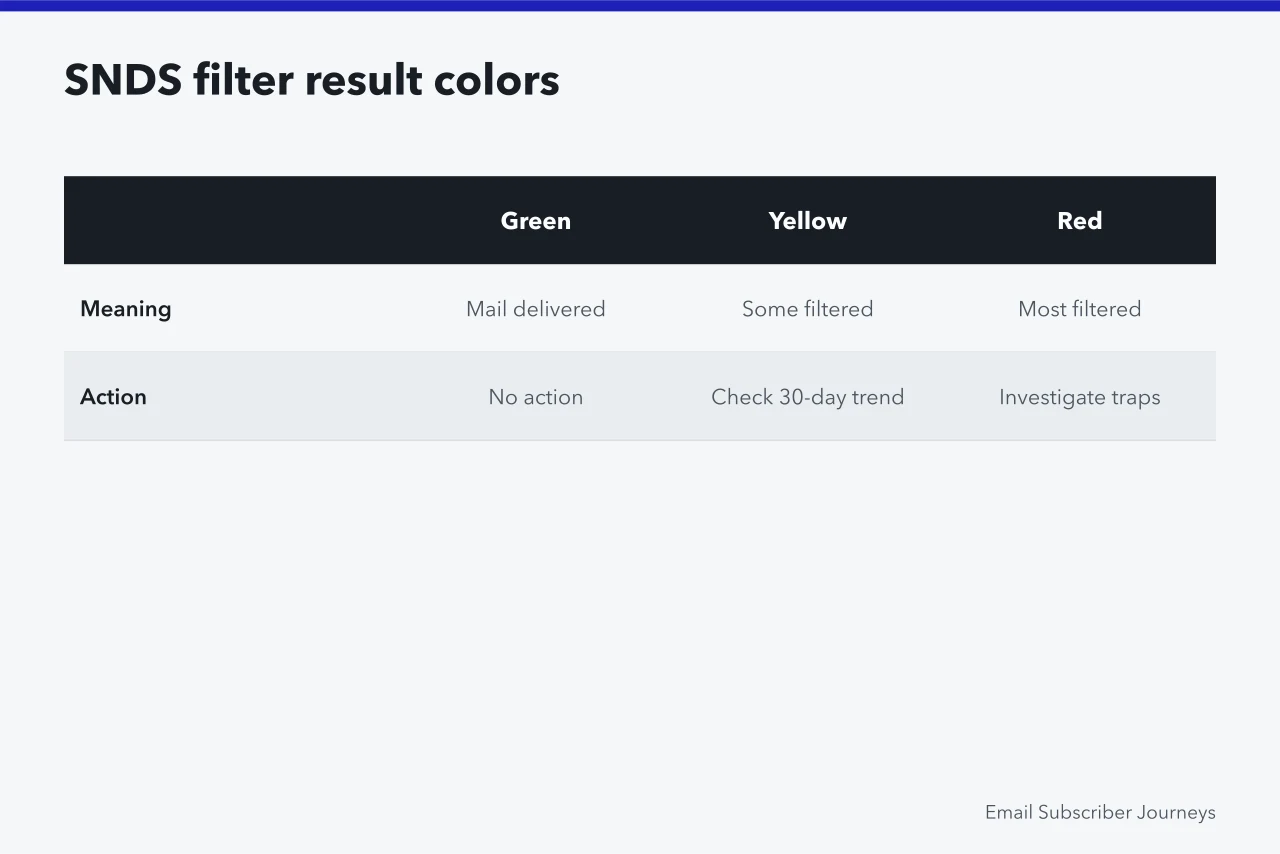
SNDS reports three main things: the volume of mail sent to Microsoft domains, the complaint rate, and the filter result. The filter result is a color-coded status: green means mail is being delivered, yellow means some mail is filtered, red means most mail is filtered.
You also see a complaint rate and a spam trap hit count. Spam trap hits are the most serious signal because they suggest you are mailing addresses that never opted in.
The complaint rate in SNDS is calculated per IP, not per domain. If you share an IP with other senders, their complaints affect your view. That makes SNDS noisy for small senders on shared pools. Do not panic if the filter result turns yellow for one day. Check the 30-day trend and compare it with your own complaint data.
Microsoft updates SNDS data once a day, usually overnight Pacific time. The dashboard is plain and dated, but the data is real. You can also receive SNDS data by email or via an API if you want to automate monitoring. For a small team, the web dashboard is enough.
The biggest mistake with SNDS is overreacting to a red status. Red means most mail from that IP is being filtered, but it does not tell you why. It could be a spam trap hit, a sudden complaint spike, or a Microsoft filter change.
Before you change your send plan, check whether the same IP shows problems in Postmaster Tools and whether your authentication is aligned.
If Gmail looks fine and SNDS is red, the problem is likely Microsoft-specific or IP-specific.
SNDS is also useful for detecting list hygiene problems. Spam trap hits are a direct signal that you are mailing invalid or old addresses. If traps rise, suppress your inactive subscribers and run a re-engagement campaign before your next send. That single action often clears a red status within two weeks.
For more on how tools fit together, see our field guide to email design.
Reputation signals that predict inbox placement
Reputation signals are leading indicators. Inbox placement is the outcome. The signals that matter most are spam complaint rate, spam trap hits, authentication pass rates, and engagement-based reputation. Each provider weights these differently, but the pattern is consistent across US mailbox providers.
Spam complaint rate is the strongest predictor. Google publishes a threshold of 0.1 percent as good and 0.3 percent as the danger line. Microsoft does not publish a number, but industry practice treats 0.1 percent as the target and 0.2 percent as a warning.
If your complaint rate crosses 0.1 percent, your inbox placement will usually fall within a week or two. The fix is list hygiene and relevance, not creative changes.
Spam trap hits are the second strongest signal. Traps are addresses that never opted in, often recycled from old lists. A single trap hit is not fatal, but a rising trend means your acquisition or list management is broken.
Check your signup forms, your purchased list history, and your inactive subscriber policy. If you have not mailed a segment in over a year, suppress it rather than re-engage it blindly.
Authentication pass rates are a prerequisite, not a differentiator. If SPF, DKIM and DMARC are not aligned, your reputation will suffer regardless of engagement. Google and Microsoft both use authentication as a baseline filter. A domain with perfect engagement but failed DMARC will still be filtered. Fix authentication first, then work on reputation.
Engagement-based reputation is harder to see directly. Gmail uses signals like opens, replies, and moves out of spam. Microsoft uses similar signals. You cannot see these in a dashboard, but you can infer them from inbox placement tests.
If your open rates drop while your list size is stable, your engagement reputation may be falling. Send to your most engaged subscribers first to rebuild it.
Domain reputation versus IP reputation matters for how you react. If you use a shared IP, focus on domain reputation in Postmaster Tools and SNDS complaint trends. If you use a dedicated IP, watch both.
A dedicated IP with poor reputation takes weeks to warm up again, so prevention is cheaper than repair. For a deeper look at the questions teams ask, see our email journey mapping tools comparison.
A small-team monitoring routine using both tools
Most US email teams are small, so the routine has to fit inside a normal week. Under the CAN-SPAM Act, enforced by the Federal Trade Commission, senders must honor opt-outs within 10 business days. Whoever processes unsubscribes should also run this check.
The routine below uses Google Postmaster Tools and Microsoft SNDS together, with a table to record what you see.
Small-team monitoring routine
| Signal | Source | Check frequency | Action threshold |
|---|---|---|---|
| Domain reputation | Google Postmaster Tools | Weekly | Drop to Medium or Bad for 2 weeks |
| Spam rate | Google Postmaster Tools | Weekly | Above 0.1% for 2 weeks |
| Authentication pass rates | Google Postmaster Tools | Monthly | DKIM or DMARC below 98% |
| Filter result | Microsoft SNDS | Weekly | Yellow or Red for 3 days |
| Spam trap hits | Microsoft SNDS | Weekly | Any increase over 2 weeks |
| Complaint rate | Microsoft SNDS | Weekly | Above 0.1% for 2 weeks |
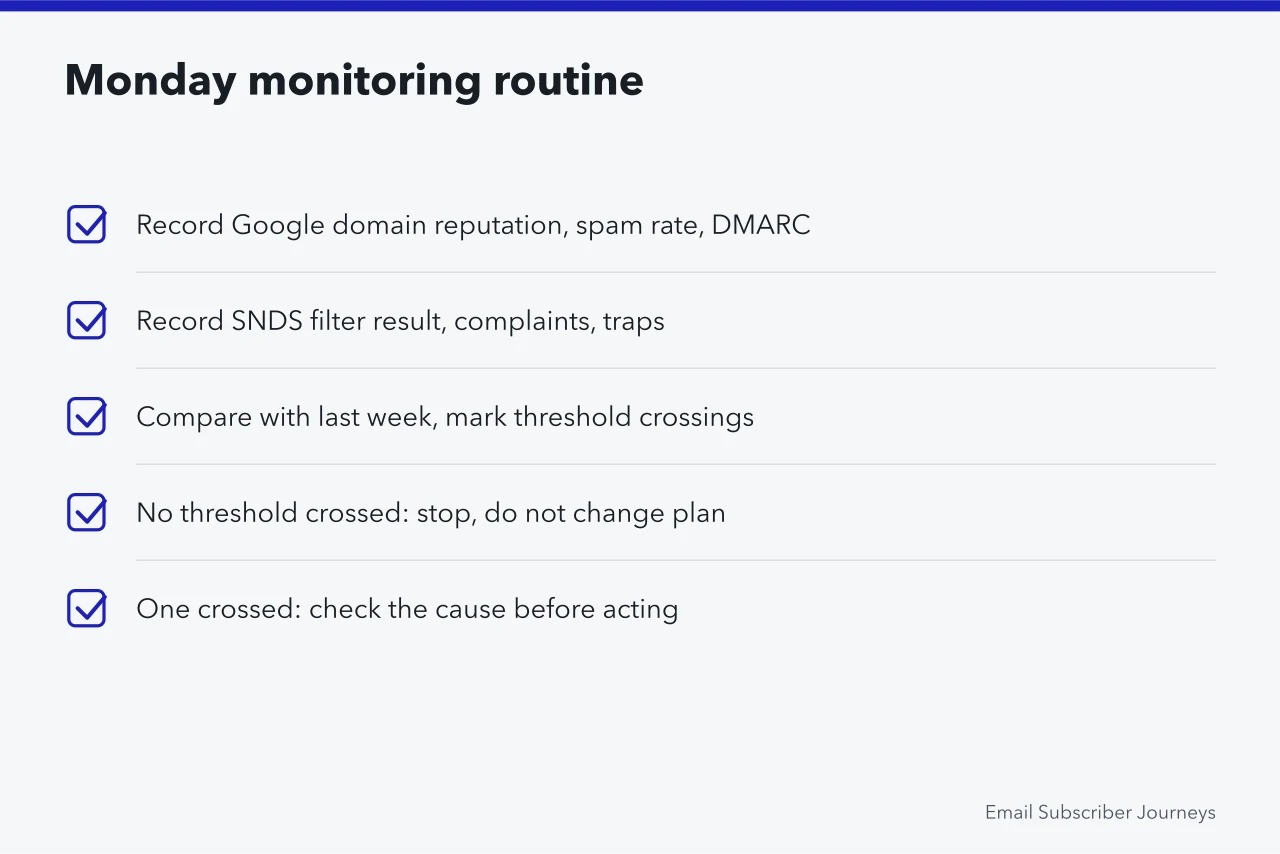
Follow these steps each Monday morning:
Small-team monitoring routine
- Open Google Postmaster Tools and record domain reputation, spam rate, and DMARC pass rate in your tracking sheet.
- Open Microsoft SNDS and record filter result, complaint rate, and spam trap hits for each sending IP.
- Compare this week's numbers with last week's. Mark any signal that crossed an action threshold.
- If no signal crossed a threshold, stop. Do not change your send plan.
- If one signal crossed a threshold, check whether a second signal confirms it. One signal alone is usually noise.
- If two or more signals confirm a problem, pause promotional sends to your least engaged segment and investigate list hygiene and authentication.
- Log the decision and the date so you can see whether your fix worked two weeks later.
This routine works because it forces you to look at trends, not snapshots. Most deliverability problems are slow. A single bad day in SNDS or a one-day reputation dip in Postmaster Tools rarely means anything. Two weeks of decline almost always does.
For teams without a dedicated analyst, assign the routine to one person and put it on the calendar. The cost is 30 minutes a week. The alternative is discovering a placement problem after revenue drops. If you need outside help, check what behavioral trigger email journey ideas actually do before paying anyone.
DMARC and authentication as the foundation beneath the dashboards
Dashboards show symptoms. Authentication prevents a whole class of them. SPF, DKIM and DMARC are the three records that prove your mail is legitimate. Without them, reputation monitoring is just watching a slow decline.
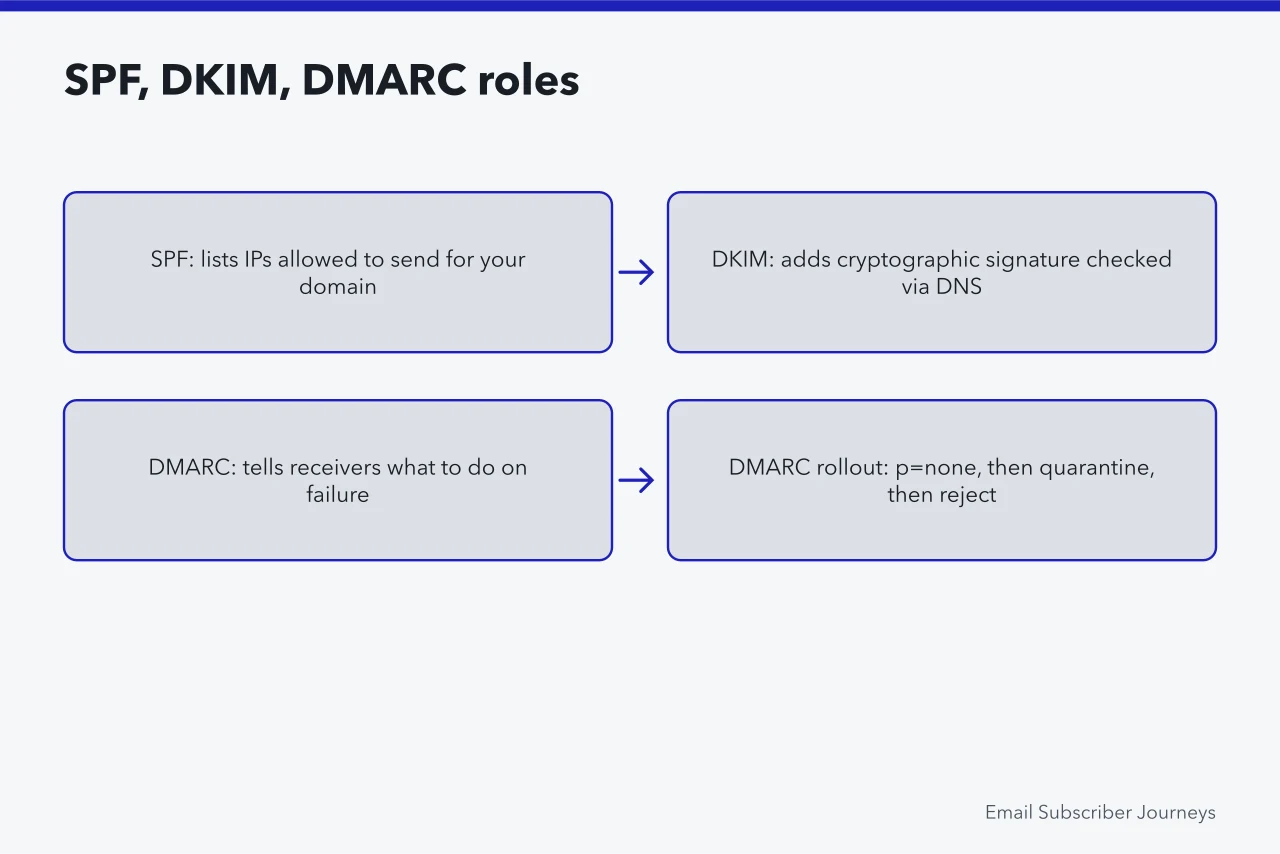
SPF lists the IP addresses allowed to send mail for your domain. It is published as a TXT record. If your sending IP is not in the SPF record, receivers may reject or filter your mail. Microsoft publishes clear instructions for setting up SPF for Microsoft 365 domains.
The same logic applies to any sending platform. Keep your SPF record under 10 DNS lookups, or it will fail.
DKIM adds a cryptographic signature to each message. The receiving server checks the signature against a public key in your DNS. If the signature validates, the message is tied to your domain. Microsoft explains how to use DKIM for email in your custom domain, including key rotation.
Rotate DKIM keys at least annually, and more often if you suspect compromise.
DMARC tells receivers what to do when SPF or DKIM fails. It also sends you reports. Start with a policy of p=none to collect data, then move to p=quarantine and finally p=reject.
Microsoft documents how to set up DMARC to validate email in Microsoft 365, and the same steps apply to any domain. Do not jump to p=reject before you have aligned all your sending sources.
Alignment is the part small teams miss. SPF and DKIM can pass individually while DMARC still fails if the domains do not align. For example, if your Return-Path is a sending platform's domain and your From domain is yours, SPF alignment fails unless you set up a custom Return-Path.
Check your DMARC reports for alignment failures and fix them before you tighten policy.
Google's bulk sender requirements make authentication mandatory for anyone sending more than 5,000 messages a day to Gmail. The rules require SPF and DKIM, a DMARC record, and a one-click unsubscribe option. They also require keeping spam rates below 0.3 percent.
These requirements affect US senders directly, and they are enforced through filtering, not warnings. Read the official email sender guidelines before your next large send.
Authentication is also the foundation for subscriber messaging. If your welcome email fails DMARC, the rest of the sequence is compromised. Fix the records, then monitor them monthly in Postmaster Tools. For a broader view of what breaks, see our guide to casl email subscriber journey rules.
When deliverability data should change your send plan
Data should change your send plan only when it crosses a threshold and persists. The thresholds in the routine above are starting points. Adjust them to your volume and your tolerance for risk. The key is to decide in advance what would make you act, so you are not making emotional decisions at 11 p.m. before a campaign.
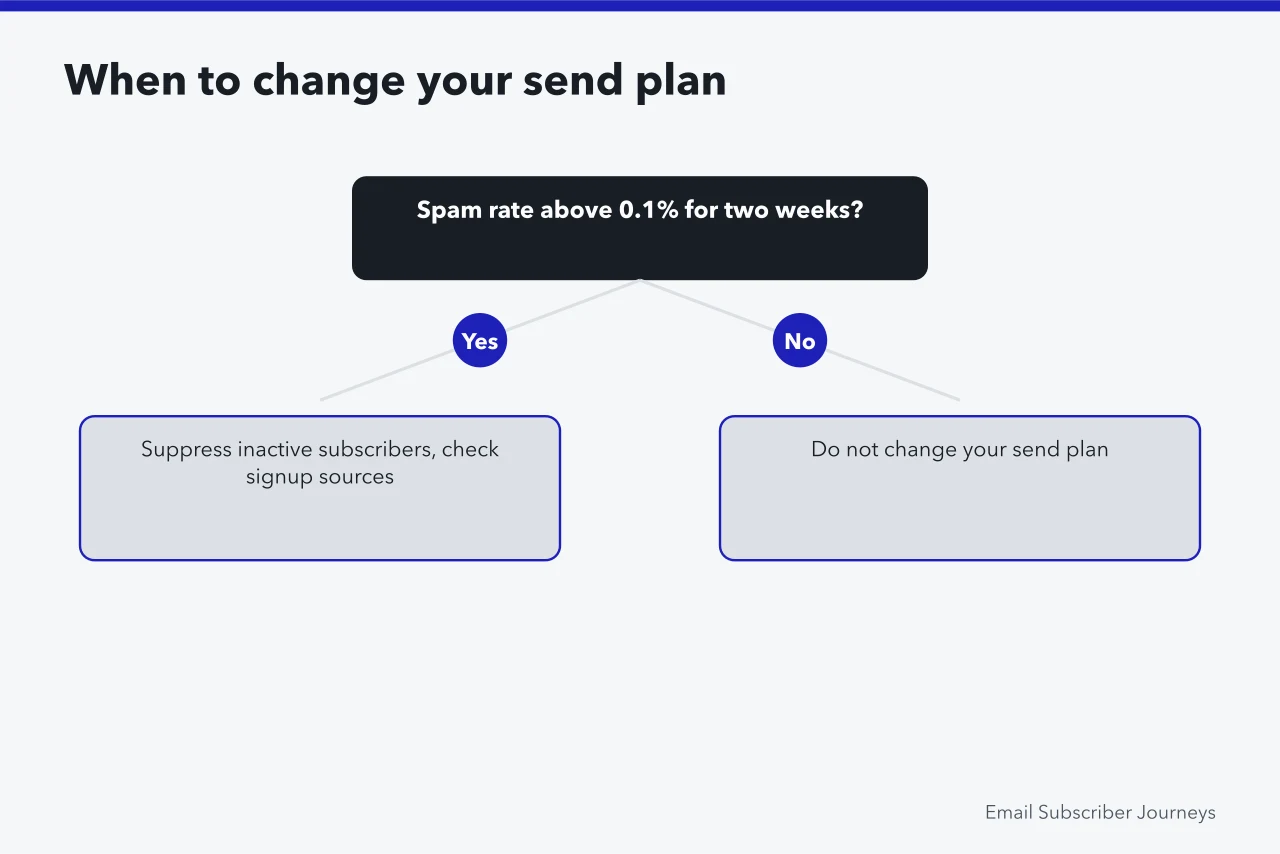
Change your send plan when spam rate stays above 0.1 percent for two consecutive weeks. The first action is not to change content. It is to suppress inactive subscribers and check your signup sources.
If the rate does not fall after suppression, your acquisition is bringing in people who do not want your mail. Fix that before you send again.
Change your send plan when domain reputation drops to Medium or Bad and stays there for two weeks. If you are on a shared IP, ask your sending platform what is happening on the pool.
If you are on a dedicated IP, reduce volume and send only to your most engaged segment until reputation recovers. Recovery can take four to six weeks.
Change your send plan when Microsoft SNDS shows a red filter result for three consecutive days. Check spam trap hits first. If traps are rising, suppress the affected segment immediately.
If traps are flat but complaints are high, review your frequency and relevance for Microsoft domains. Outlook users often behave differently from Gmail users, so a separate send plan for Microsoft domains can help.
Do not change your send plan because of a single day of bad data, or a yellow light with no trend. California's CCPA and CPRA let residents ask what data you hold and opt out of certain uses, and the California Attorney General's Privacy Enforcement and Policy Unit has pursued senders that ignore those requests.
A jump in opt-outs from California subscribers is a signal worth investigating alongside reputation data.
Finally, document every change and its result. If you suppress a segment and spam rate falls, you have a playbook. If you change your subject lines and nothing moves, you have saved yourself from repeating that mistake.
The Email Sender and Provider Coalition and M3AAWG both publish sender guidance that major US mailbox providers rely on, and both treat steady monitoring as a baseline practice. Recording every decision also prepares you to answer questions from a provider, or from the FTC's Bureau of Consumer Protection if a complaint reaches them.